Public Service Commission Uganda Job Portal: How to Access and Apply Online
Find the official Public Service Commission Uganda job portal, set up your account and apply online step by step, without falling for fake sites.
By Akanyijuka Asiraf · · Updated

Public Service Commission Uganda Job Portal: How to Access and Apply Online
Five headline options for this post
- Direct: Public Service Commission Uganda Job Portal: How to Access and Apply Online
- Curiosity: Are You Using the Right PSC Uganda Job Portal? How to Tell Real From Fake
- Benefit: PSC Uganda Online Application: Get Into the Portal and Apply Without Mistakes
- Direct: PSC Jobs in Uganda: Where to Log In, What to Upload and When to Submit
- Curiosity: Why Your PSC Application Never Went Through (And How to Fix It Next Time)
Applying for PSC jobs on the wrong site costs you the post
You search "PSC Uganda job portal," click the first link and start uploading your certificates. Ten minutes later you realise the site is not the Commission's, or that you are on a page the Commission no longer uses.
The Public Service Commission takes applications through one official online system, and knowing exactly where it is and how it works saves you from lost applications and scams. This guide shows how to reach the real portal, set up your account, apply step by step and track what happens next.
The short version: what to know before you log in
- The PSC says applications are only accepted online. Its adverts page points to the Online Recruitment and Appeals Management Information System, called ORAMIS, as the channel to use.
- Start from the Commission's own website. Open the PSC site, then follow its "Apply online" button, rather than clicking a link from a message or an ad.
- Create one account and keep it. You build a profile and upload certified academic documents once, then reuse them for later applications.
- Applying is free. The Commission states that it uses no agents or middlemen and that you should never pay anyone who promises a public service job.
- District jobs work differently. District and city service commissions often still ask for paper applications, so read each advert closely.
The PSC portal is one online front door for central government jobs
Think of the portal as a single reception desk for the civil service. Before it, applicants queued at different counters with different forms. Now the Commission points everyone to one place, ORAMIS, which it describes as its end-to-end e-recruitment platform and the "single digital channel for applying to the Uganda Public Service." (PSC: About ORAMIS)
What you can do inside the system
According to the Commission, applicants use ORAMIS to:
- Open a verified applicant account and build a reusable profile of qualifications and experience
- Browse advertised posts and submit applications online
- Upload certified academic documents once and reuse them
- Track each application through shortlisting to the final decision
- Receive written assessment and oral interview invitations electronically
- Lodge and follow up appeals against recruitment and disciplinary decisions
Which jobs the PSC portal covers, and which it does not
The Commission recruits for posts in central government ministries, departments and agencies. Teachers, health workers and local government staff usually go through other bodies, so check the advert before you spend an evening on an application. Our guide to government jobs in Uganda maps out which body hires for which job.
Example: A records officer applies through the portal for a post at a ministry. A nursing officer finds the same portal and sees no nursing post, because her vacancies sit with the Health Service Commission and district service commissions.
Action step: Open the Commission's adverts page and look at one current advert end to end. Note the reference number, the post, the scale and the closing date, so the format feels familiar before you apply.
Reach the real portal by starting at the Commission's own website
Fraudsters copy official pages and pay for search ads to sit above them. So do not trust the first result for "PSC Uganda job portal." Start from an address you know is official.
Three safe ways to get to the PSC job portal
- Type the Commission's address yourself. Go to
www.psc.go.ugin your browser's address bar, not through a link in a message. - Use the buttons on that site. The home page has "View current adverts" and "Apply online" buttons, plus an "Apply on ORAMIS" button that leads to the application system at
oramis.go.ug. - Bookmark it once you are in. Save the page on your phone and laptop so you never have to search again.
How to tell the official site from an imitation
Check
Official site
Warning sign
Web address
Ends in .go.ug and matches the PSC site's links
A .com, .info or a social media page claiming to be the portal
Cost
Free to register and apply
Asks for a "registration", "processing" or "slot" fee
Middlemen
The Commission says it uses no agents
Someone offers to apply for you or "guarantee" a post
Where the link came from
Typed by you or reached from the PSC site
Sent on WhatsApp, Facebook or by SMS
Example: A friend forwards a WhatsApp message saying "PSC portal closing tonight, pay UGX 50,000 to secure your slot." There is no official link, the payment goes to a mobile money number and the Commission has already said it never accepts payment for jobs. It is a scam. Read more on spotting fake job adverts.
Action step: Bookmark the PSC site today. If something looks off, call the contact number published on the Commission's Contact page before you share any personal details.
You can complete a PSC online application in eight steps
The screens may change as the Commission updates the system, so always follow the on-screen instructions. The overall order stays the same, and each step below is small.
- Start at the PSC website. Use the "Apply online" or "Apply on ORAMIS" button, as explained above.
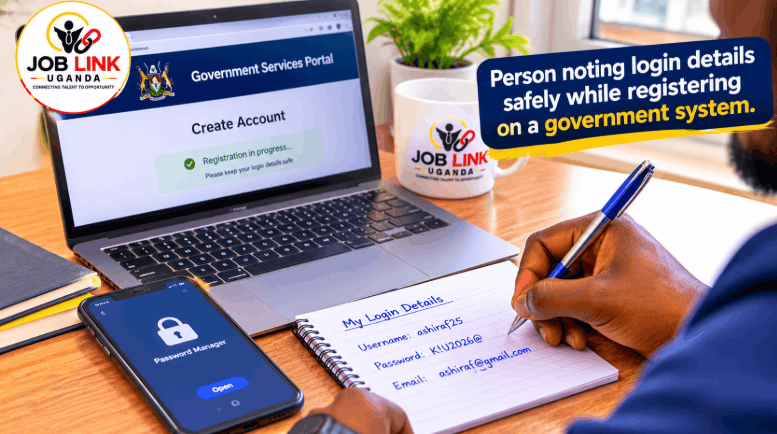
- Create your applicant account. Register once with your own details. Use an email address and phone number you check every day, because invitations to tests and interviews are sent electronically.
- Build your profile. Enter your qualifications, work history and personal details exactly as they appear on your certificates and national ID. Spelling differences cause problems later.
- Upload your certified academic documents. The Commission says you upload them once and reuse them for later applications, so scan them clearly and name the files sensibly.
- Browse the current adverts. The adverts page lets you filter by keyword, ministry or agency, salary scale and status, and each advert shows a reference, post title, number of posts and closing date.
- Read the full advert before you click apply. Match the qualifications, experience and any special requirements to your profile. Do not apply for posts you clearly do not qualify for.
- Submit before the closing date. Closing dates appear in the format
02 Feb 2026. Aim to submit at least two days early, because portals slow down near deadlines. - Save proof. Note your reference number and keep a screenshot or confirmation of your submission.
Example: Two applicants spot the same advert on the last afternoon. One has a finished profile and documents already uploaded, so applying takes ten minutes. The other starts from scratch, runs into a slow connection and misses the cut-off.
Action step: Create your account and complete your profile now, even if no advert you want is open. When the right post appears, you only need to review and submit.
If your CV or application details need work first, see the guide to the best CV format for jobs in Uganda.
Get your documents ready before the advert you want appears
Online does not mean casual. The Commission asks for certified academic documents, and a clean scan takes time to prepare. Doing it early removes the biggest cause of rushed, rejected applications.
Your pre-application checklist
- Certified academic documents: certificates, transcripts and result slips, certified as the Commission requires. Confirm the current certification rules on the PSC site.
- National ID details: your name, ID number and date of birth should match your certificates exactly.
- Updated CV: current, in order, with dates and a short profile at the top.
- Professional registration: if your profession is regulated, such as nursing, engineering or accounting, have your registration and practising certificate ready.
- Referee details: names, jobs and working phone numbers of people who have agreed to speak for you.
- Clear scans: PDF or image files that are sharp and complete, with all four corners visible.
- Reliable contact details: an email address and phone number you control and check daily.
Forms and guidelines live in the Resource Centre
The PSC's website has a Resource Centre with documents such as PSC Form 3 and the standing orders and circulars that govern recruitment. Form 3 matters most for paper applications to local government bodies. For example, a recent district service commission advert in Jinja asked for applications on PSC Form 3, with certified copies of certificates, national ID and passport photographs delivered in triplicate. (Jinja District advert) If your advert asks for that, the portal is not the right route for it.
Action step: Spend one Saturday morning preparing this folder. Put digital copies in cloud storage and keep a paper set with certified copies. Our guide to application letter samples helps if an advert also asks for a covering letter.
Submitting is only the start, so keep checking your account
Most lost chances happen after the application, when an applicant misses an invitation sitting in their inbox.
How to follow your application after you submit
- Check your account regularly. The Commission says you can track each application from shortlisting to the final decision and that invitations to written assessments and oral interviews are sent electronically.
- Read the Shortlists and Schedules page. The PSC publishes shortlists, written assessment timetables and interview venues on a dedicated page of its website.
- Check your email and spam folder daily during the weeks after the closing date.
- Quote your reference number if you need help. The Commission says the help desk will ask for your ORAMIS reference number when you report a problem registering or submitting.
- Know that appeals exist. The system also lets you lodge and follow up appeals against recruitment and disciplinary decisions.
Example: An applicant is shortlisted for a written test, but the invitation lands in a spam folder. She finds it two days after the test. If she had checked her account and the shortlist page every morning, she would have had a week to prepare.
Seven mistakes that sink online applications
- Registering with an email address you rarely open
- Uploading blurry or cropped scans of certificates
- Entering names or dates that differ from your documents
- Applying for posts you do not qualify for
- Waiting until the last hour on the closing date
- Trusting a link or helper from WhatsApp instead of the Commission's own site
- Paying anyone to "fast-track" your application
Action step: After you submit, put the closing date and a "check my account" reminder in your phone calendar. Prepare for the next stage using our guides to interview questions in Uganda and aptitude tests.
Frequently asked questions about the PSC Uganda job portal
What is the Public Service Commission Uganda job portal?
It is ORAMIS, the Online Recruitment and Appeals Management Information System. The Commission describes it as its e-recruitment platform and the single digital channel for applying to the Uganda Public Service. You reach it from the Commission's website at psc.go.ug.
How do I apply online for PSC jobs in Uganda?
Open the PSC website, use the "Apply online" button, create an applicant account, complete your profile, upload certified academic documents, choose an advert and submit before the closing date. Save your reference number as proof.
Does it cost money to apply through the PSC portal?
No. The Commission says applying is free, that it uses no agents or middlemen, and that you should never pay anyone who promises a public service job.
Can I apply to PSC jobs without internet access?
The Commission's adverts page says applications are only accepted through the online portal. If you do not have a smartphone or laptop, ask a trusted person or a public internet facility to help you apply, and keep control of your own account details.
Do all government jobs in Uganda go through the PSC portal?
No. District and city service commissions, the Education Service Commission, the Health Service Commission and individual agencies run their own recruitment. Some local government adverts still ask for paper applications, so follow each advert's instructions.
Treat the PSC portal like an appointment: arrive early and prepared
Getting a public service job through the PSC starts with the right door. Reach the official system from the Commission's own website, set up your account while no deadline is pressing, keep your certified documents ready and check your account after you apply. None of that costs a shilling, and none of it needs a middleman.
Tonight, bookmark the PSC site, create your account and start building your profile. When the right advert opens, you will be ready to apply in minutes instead of hours.
Want a second pair of eyes before you apply? [Agency Name] reviews CVs and helps job seekers get application-ready. We never charge job seekers a fee. Submit your CV or see current openings.